
Download Bookmark Manager Extension – Smart, Visual, and Secure Bookmarking for Chrome
Intro: Why a Modern Bookmark Manager Matters in 2025
In the era of visual browsing and AI‑assisted search, the classic list‑based bookmark manager feels like a relic from the early web. Users today expect their favorite tools to be intuitive, fast, and visually rich. Google’s Bookmark Manager Extension answers that call by turning the humble star icon into a powerful, image‑driven hub for every site you love. The extension is free, secure, and integrates seamlessly with Chrome, letting you capture, organize, and retrieve pages with a single click.
Beyond the familiar “add to favorites” workflow, this extension offers a grid view that displays site screenshots, a smart search that scans page content, and the ability to share public collections with a simple link. For power users, automatic folder assignment and a recycle bin make maintenance painless, while casual browsers appreciate the visual cues that remind them why they saved a page in the first place.
Whether you’re a researcher juggling dozens of sources, a marketer curating inspiration, or just someone who hates losing a saved article, the Bookmark Manager Extension promises to keep your digital library organized, accessible, and beautiful. In the sections below, we’ll dive deep into its core capabilities, walk through the installation process, explore system compatibility, and weigh the pros and cons to help you decide if this download should be your next Chrome upgrade.
Overview & Core Features: A Visual Revolution for Your Bookmarks
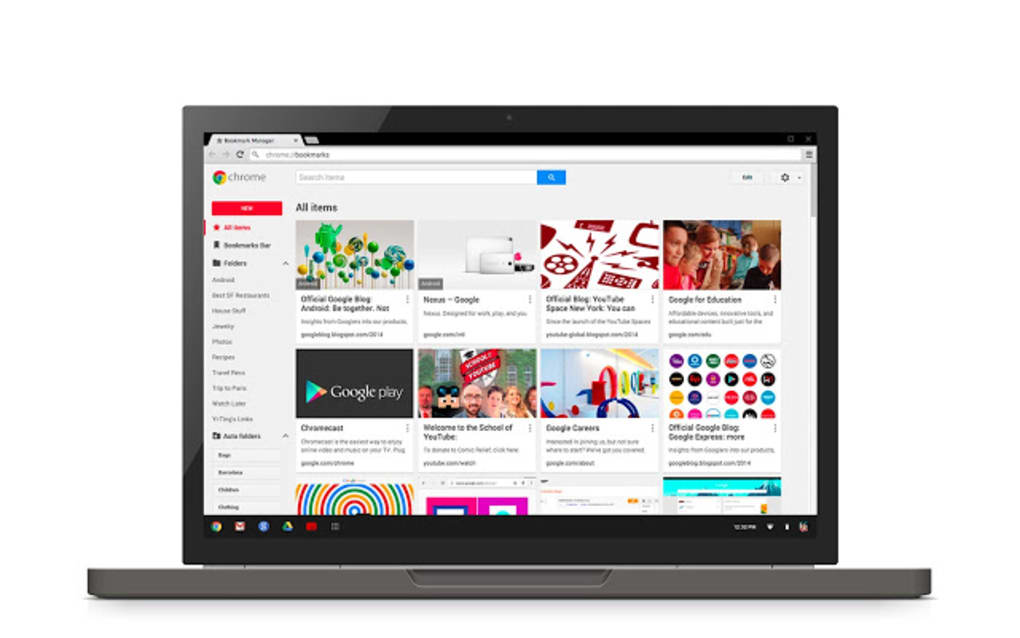
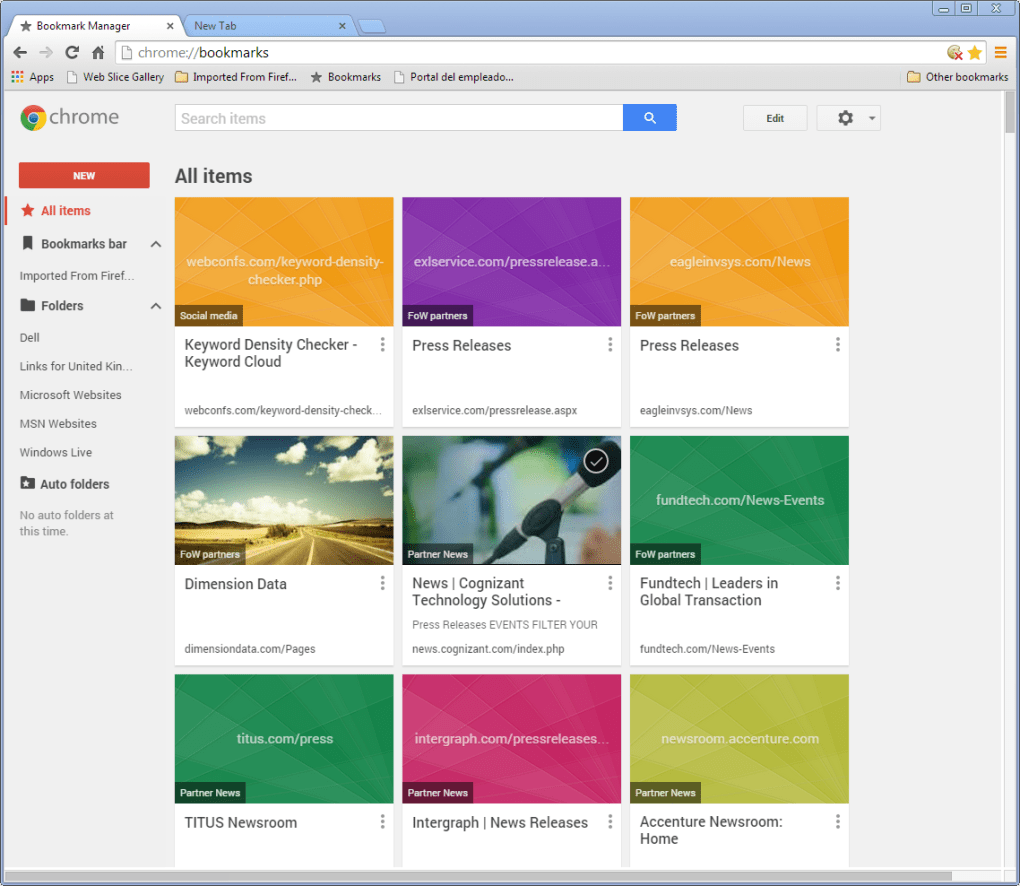
The Bookmark Manager Extension reimagines how Chrome users interact with saved pages. Instead of a sterile text list, each bookmark appears as a tile with a thumbnail, title, and short description. When you click the star icon next to the address bar, a compact dialog pops up showing a preview of the site, letting you confirm the bookmark, edit its title, or assign it to a folder—all without leaving the page.
One of the standout innovations is the smart search engine. Unlike traditional bookmark search that only looks at URLs and titles, this tool indexes the full content of every saved page. Type a phrase you remember from an article, and the extension surfaces the exact match, saving you countless minutes of scrolling through folders.
Another game‑changing feature is automatic folder organization. If you prefer a hands‑off approach, Google’s AI can analyze the page’s topic and place the bookmark in an appropriate folder, such as “Technology,” “Travel,” or “Recipes.” For those who like manual control, custom folders are just a drag‑and‑drop away in the grid view.
Sharing is effortless: toggle a bookmark to “public,” generate a short link, and anyone with the URL can view the collection in a read‑only mode. This is perfect for collaborative research, team brainstorming, or simply showing friends your favorite resources.
The extension also includes a recycle bin for accidental deletions, and a quick‑edit mode that lets you replace the thumbnail image if the auto‑generated one isn’t ideal. All of these features are bundled into a lightweight, Chrome‑native experience that respects your privacy and does not sync data beyond your Google account unless you explicitly share it.
Key Features at a Glance
- Visual grid view with site thumbnails for instant recognition.
- Smart content‑based search that scans full page text.
- AI‑driven automatic folder assignment or manual organization.
- One‑click public sharing with a shareable link.
- Recycle bin for safe removal and recovery of bookmarks.
- Custom thumbnail editing for personalized visual cues.
- Seamless Chrome integration – no separate window or tab required.
- Free, secure, and regularly updated by Google.
Installation, Usage & Compatibility: Getting Started in Minutes
Installing the Bookmark Manager Extension is intentionally straightforward. Visit the Chrome Web Store, locate the Bookmark Manager Extension page, and click the blue “Add to Chrome” button. A confirmation dialog appears; simply select “Add extension,” and Chrome handles the rest. Within seconds, the star icon appears on the right side of the address bar, ready to capture any page you visit.
Using the extension is equally simple. While browsing, click the star; a small overlay shows the page’s screenshot, title, and a dropdown for folder selection. If you enable “auto‑folder,” the dropdown disappears, and Google places the bookmark where it thinks it belongs. You can also add a short note or change the thumbnail by clicking the pencil icon in the overlay.
All saved items are accessible via the extension’s homepage, opened by clicking the extension icon in the Chrome toolbar. The homepage presents a clean grid that you can filter by folder, search keywords, or switch to a list view for a more traditional experience. Editing an entry is a matter of hovering over a tile and selecting the edit icon, where you can modify the title, URL, image, or folder.
In terms of compatibility, the extension is built exclusively for the Chrome ecosystem on desktop platforms. It supports the latest versions of Windows 10, Windows 11, macOS Monterey and later, as well as Linux distributions that run Chrome. Mobile Chrome users can sync their bookmarks through their Google account, but the visual grid UI is currently limited to desktop browsers.
Security and privacy are baked in. The extension only accesses the URLs you choose to bookmark and does not scan unrelated browsing data. Syncing is encrypted via your Google account, and any public sharing is opt‑in, giving you full control over what becomes visible to others.
Pros, Cons, FAQ & Final Verdict: Should You Download?
Pros
- Visually rich grid makes bookmark recall faster.
- Smart search saves time by indexing full page content.
- Automatic folder organization reduces manual effort.
- Free and regularly updated by Google.
- Secure integration with your existing Google account.
Cons
- Limited to Chrome on desktop; no dedicated mobile UI.
- AI folder suggestions may misclassify niche topics.
- Public sharing requires careful privacy awareness.
- Heavy visual thumbnails can increase memory usage on low‑end PCs.
Frequently Asked Questions
Is the Bookmark Manager Extension completely free?
Yes, the extension is free to download and use. Google may offer optional premium features in the future, but the core functionality described here has no cost.
Can I sync my bookmarks across multiple devices?
Absolutely. As long as you are signed into the same Google account on each Chrome installation, your visual bookmarks, folders, and settings will sync automatically.
How does the smart search work without violating my privacy?
The search index is built locally on your device. Google only accesses the content of pages you explicitly bookmark, and the data is encrypted during sync. No unrelated browsing history is scanned.
What happens if I accidentally delete a bookmark?
Deleted items are moved to a recycle bin within the extension. You can restore them within 30 days, after which they are permanently removed.
Does the extension affect Chrome’s performance?
The extension is lightweight and runs only when you interact with it. Most users report no noticeable slowdown, though devices with very limited RAM may see a modest increase in memory usage due to thumbnail rendering.
Conclusion: Upgrade Your Bookmark Workflow Today
The Bookmark Manager Extension brings the visual, AI‑enhanced experience that modern browsers have been missing for years. By turning static lists into vibrant tiles, adding content‑aware search, and offering one‑click sharing, it solves the two biggest pain points of traditional bookmarking: loss of context and difficulty finding saved items.
If you spend any amount of time curating web resources—whether for work, study, or personal interest—this extension is a worthwhile download. Its free price tag, tight integration with Chrome, and strong privacy safeguards make it a low‑risk addition to your browsing toolkit. Install it now, explore the grid view, and say goodbye to the era of forgotten bookmarks.
Click here to download the Bookmark Manager Extension and start organizing your web world with a fresh, visual approach.







